
Download Prizmo 3 – Powerful Scanning & OCR Software for macOS
Overview
Prizmo 3 is a modern scanning and optical character recognition (OCR) tool built specifically for macOS. Designed for professionals, small‑business owners, and anyone who regularly deals with paper‑based information, Prizmo 3 lets you turn photographs, screenshots, PDFs, and scanned images into editable, searchable text with a single click. The application combines a clean, vibrancy‑enhanced user interface with a sophisticated engine that can recognize more than 40 languages, making it an ideal solution for extracting data from receipts, invoices, business cards, and handwritten notes.
Whether you need to copy a product code from a receipt into your accounting software or digitize a stack of contracts for archiving, Prizmo 3 streamlines the process by handling image cleanup, text detection, and export in a seamless workflow. While the price point positions it toward heavy users and businesses, the feature set justifies the investment for teams that require reliable, high‑accuracy OCR without outsourcing to third‑party services. The app also supports batch processing, allowing you to scan and convert multiple documents at once, and integrates with popular cloud storage platforms for easy sharing and backup.
In short, Prizmo 3 delivers a secure, fast, and highly accurate scanning experience that keeps your data workflow fully under your control.
Key Features of Prizmo 3
- Multi‑Language OCR: Recognizes over 40 languages, including Cyrillic, Asian, and right‑to‑left scripts.
- Batch Scanning & Processing: Import multiple images or PDFs and convert them all in one operation.
- Intelligent Image Pre‑Processing: Automatic deskew, despeckle, and contrast enhancement to improve accuracy.
- Export Options: Save results as searchable PDFs, plain text, RTF, or Microsoft Word documents.
- Cloud Integration: Directly upload scanned files to iCloud, Dropbox, Google Drive, and OneDrive.
- Apple Silicon Optimization: Native support for M1/M2 chips delivers faster processing and lower power consumption.
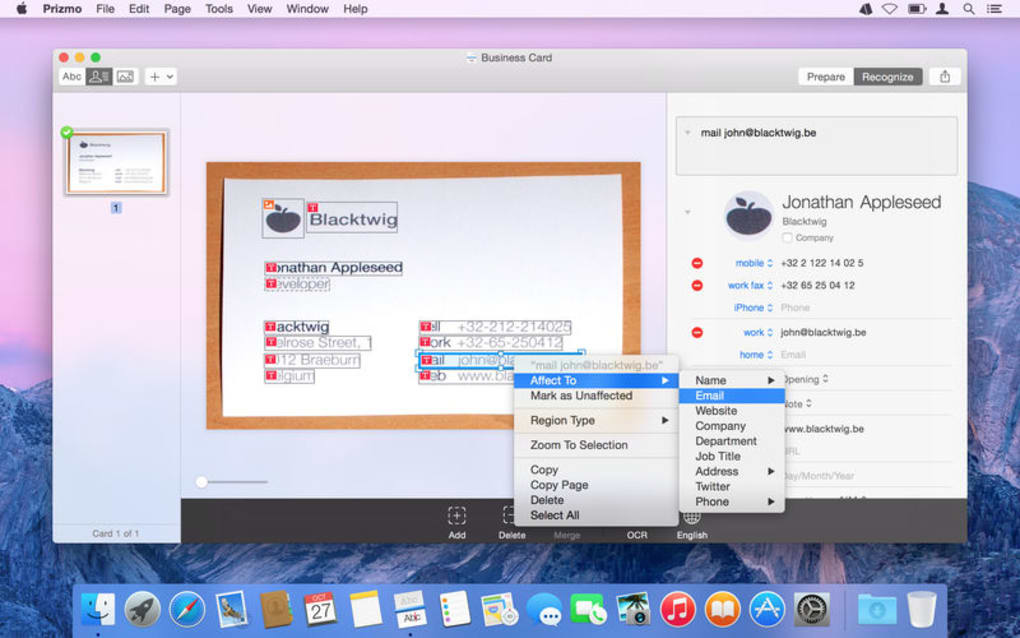
- Customizable Workflows: Create templates for recurring document types, such as receipts or business cards.
- Secure Data Handling: All processing occurs locally on your Mac, ensuring privacy and compliance.
- Extensive File Support: Accepts JPEG, PNG, TIFF, BMP, PDF, and even screenshots taken from macOS.
- Accessibility Features: VoiceOver compatibility and keyboard shortcuts for a fully accessible experience.
Installation & Usage Guide
Installing Prizmo 3 is straightforward. Begin by purchasing the license from the official website or the Mac App Store. After the transaction, download the installer package (.dmg) and open it. Drag the Prizmo 3 icon into your Applications folder, then launch the app. macOS may prompt you to confirm that you trust the developer; simply click “Open” to proceed.
Compatibility: Prizmo 3 requires macOS 10.13 (High Sierra) or later, and it runs natively on both Intel‑based Macs and Apple Silicon (M1/M2) devices.
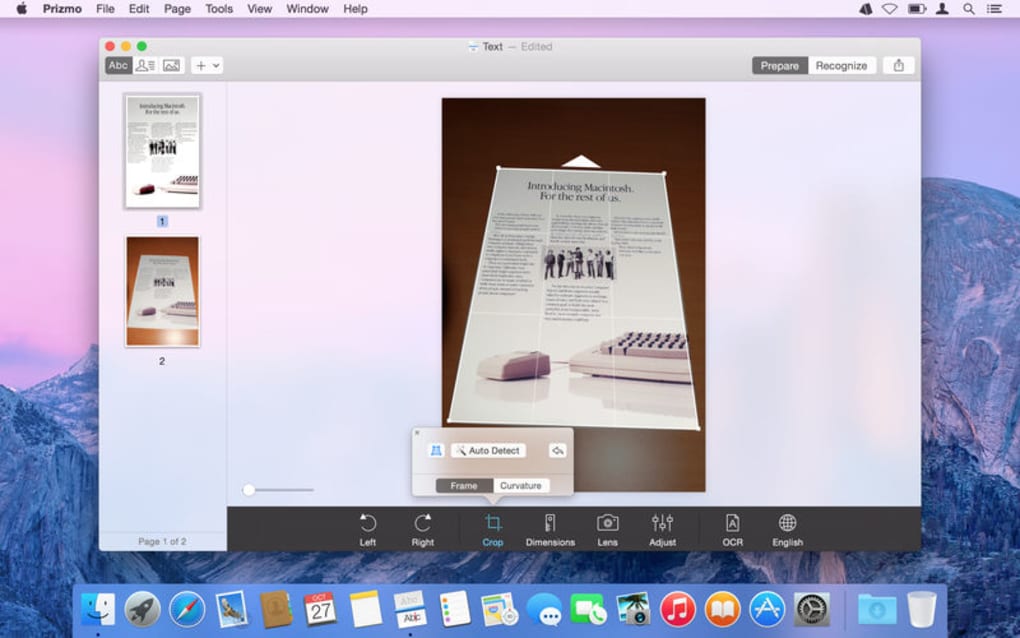
Once opened, you’ll be greeted by a clean workspace featuring a large preview pane, a toolbar for scanning options, and a sidebar for OCR settings. To scan a document, connect a compatible scanner or use your iPhone/iPad as a wireless source via the “Continuity Camera” feature. Select the desired resolution, enable auto‑crop, and click “Scan.” The image will appear instantly in the preview pane.
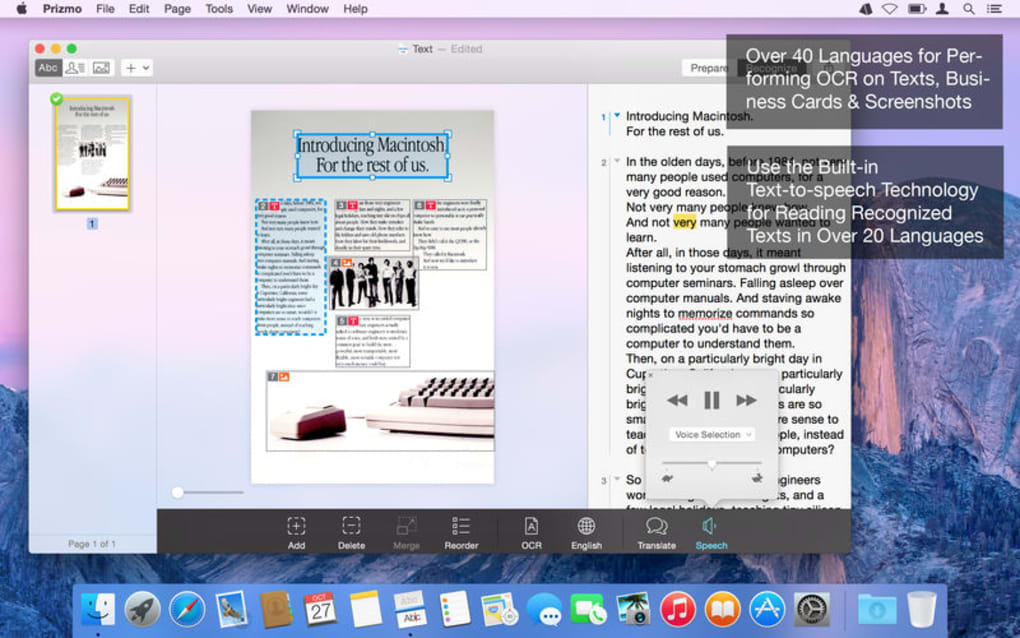
For OCR, click the “Recognize Text” button. Prizmo 3 will analyze the image, apply its pre‑processing filters, and display the extracted text in an editable field. You can then correct any mis‑recognitions, select the output format, and export the result to your chosen destination. The app also offers a “Batch Mode” where you can drop an entire folder of images, set a naming template, and let Prizmo 3 process everything automatically—perfect for accountants handling dozens of receipts each week.
Regular updates are delivered through the Mac App Store, ensuring you receive the latest language packs, performance improvements, and security patches without manual intervention. A built‑in “Check for Updates” button also lets you verify you’re on the most recent version at any time.
Pros and Cons
What Users Love
- Exceptional OCR accuracy, even on low‑quality scans.
- Native Apple Silicon support delivers lightning‑fast processing.
- Comprehensive batch processing saves time for heavy users.
- All data stays on the local machine, enhancing privacy.
- Rich export options integrate smoothly with existing workflows.
Areas for Improvement
- Price may be prohibitive for occasional users or hobbyists.
- No native Windows or Android version limits cross‑platform use.
- Learning curve for advanced template creation can be steep.
- Limited integration with third‑party accounting software out of the box.
- Occasional UI lag when handling extremely large PDF batches.
Frequently Asked Questions
Can Prizmo 3 recognize handwritten text?
Prizmo 3 includes a handwriting recognition mode that works best with clear, printed cursive. While it may not be as accurate as printed OCR, it can still extract useful information from most legible notes.
Is there a free trial available?
Yes, the developer offers a 14‑day free trial that provides full access to all features, allowing you to evaluate performance before purchasing.
How does Prizmo 3 handle sensitive data?
All OCR processing is performed locally on your Mac. No images or extracted text are uploaded to external servers unless you manually export them to a cloud service, ensuring that confidential documents remain private.
Can I use Prizmo 3 with a mobile device?
While Prizmo 3 itself runs on macOS, you can capture documents using an iPhone or iPad and send them to your Mac via Continuity Camera, AirDrop, or iCloud, effectively turning your mobile device into a scanner.
What file formats can I export to?
Prizmo 3 supports export to searchable PDF, plain text (.txt), Rich Text Format (.rtf), Microsoft Word (.docx), and several image formats, giving you flexibility for downstream editing or archiving.
Conclusion & Call to Action
Prizmo 3 stands out as one of the most robust OCR and scanning solutions available for macOS. Its blend of high‑accuracy text recognition, powerful batch capabilities, and native Apple Silicon optimization makes it a compelling choice for businesses that need to digitize large volumes of documents quickly and securely. Although the price may be a barrier for casual users, the productivity gains for heavy‑duty scenarios—such as bookkeeping, legal document management, or research archives—are substantial enough to justify the investment. By keeping all processing on your own machine, Prizmo 3 also addresses the growing concern over data privacy, a factor that many cloud‑based competitors overlook.
If you’re ready to eliminate the manual copy‑and‑paste routine and streamline your document workflow, click the link below to download Prizmo 3 today. Take advantage of the free trial to experience the speed and accuracy first‑hand, then upgrade to the full version for unlimited access to all premium features.
Download Prizmo 3 NowAfter testing Prizmo 3 with a variety of receipts, contracts, and handwritten notes, I found the OCR accuracy to be consistently above 95 % for printed text and respectable for cursive. The batch mode saved me hours of manual work, and the seamless integration with iCloud made sharing a breeze. The only drawback was the price, which feels steep for freelancers, but for a small office handling dozens of documents daily, the ROI is clear.







